
Create Documents from Templates
Templates let you create new Documents quickly from a starting layout your admin has prepared. Templates can include Live Fields that automatically resolve from a chosen source record the moment the Document is created.
Create a Document from a template
- From the Document sidebar, click New from Template.
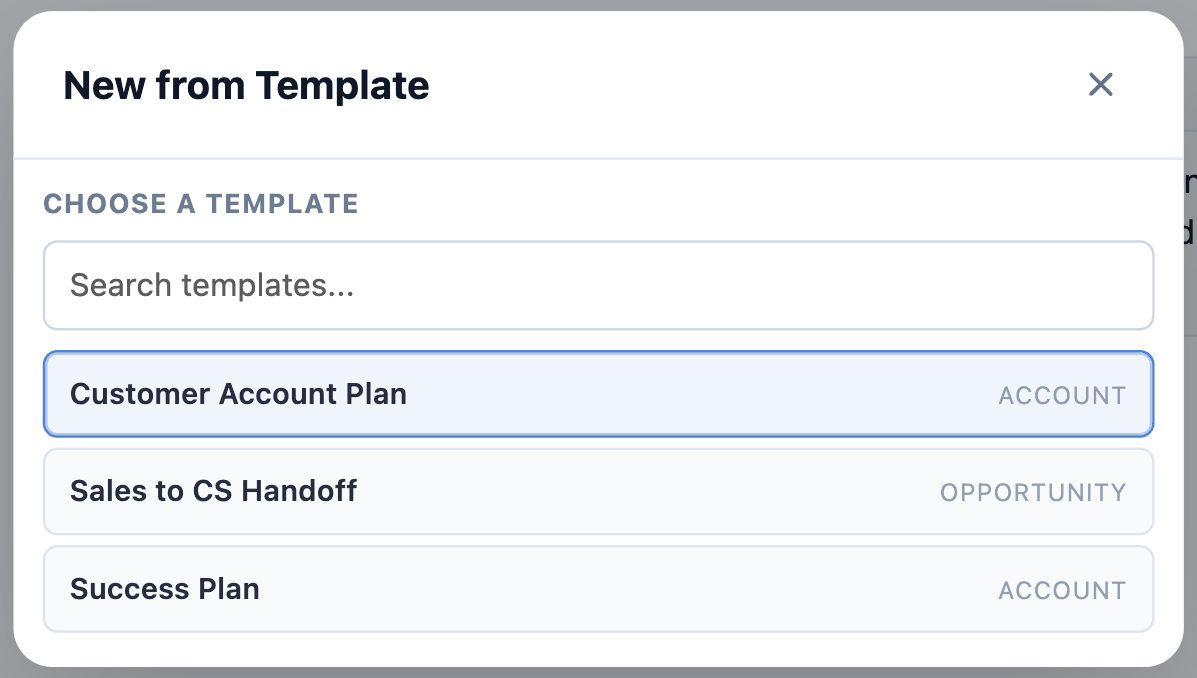
- Choose a template from the list of templates available for your context.
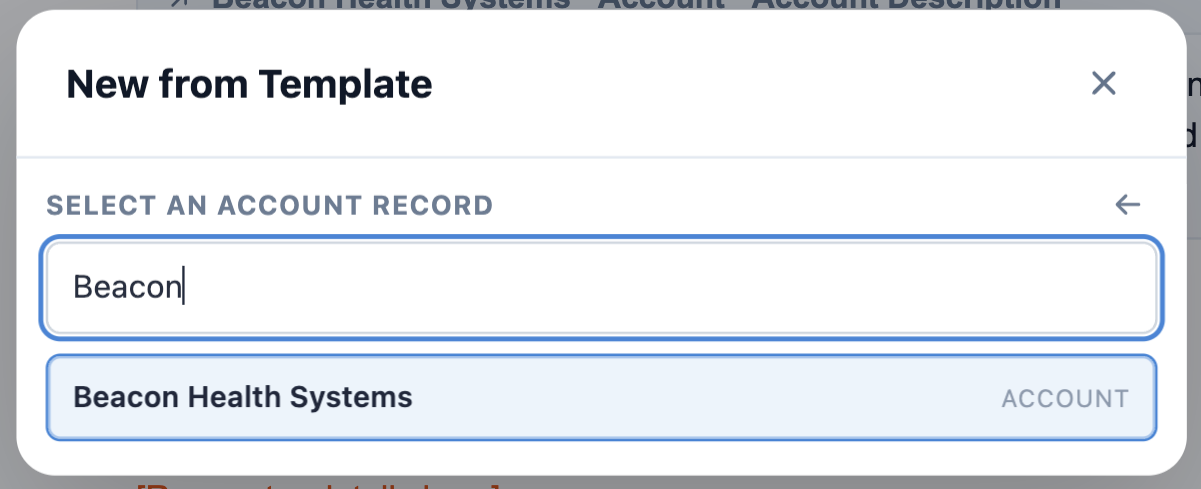
- Choose a source record: the Salesforce record that the template’s Live Fields will resolve from. The chosen record will also be linked to the new Document.
- The new Document is created with body content from the template, Live Fields populated from the source record, and the source record already linked.
You can edit the Document like any other: change the title, edit content, add additional Record Links, share it, and so on.
Only templates your admin has marked Active appear in the list. If a template you expect is missing, it’s most likely still a draft — ask your admin.
Some templates don’t ask for a source record at all. Those are built without a source object, usually because they’re a pure structure — a meeting-notes skeleton, a checklist — with no Salesforce data to pull in.
What comes pre-filled
Templates can carry several kinds of pre-filled content, and it’s worth knowing which is which, because they behave differently once the Document exists.
- Live values — Record Links and Live Fields that stay connected to Salesforce. These keep updating as the record changes, so an Amount or a Stage in your Document never contradicts the record it came from.
- Salesforce components — Status Bars, Record Previews, Related Lists, Workbenches, and Kanban Boards, generated from the setup your admin configured on the template. These arrive already pointed at the right records. You can modify them after the Document is created — change a Related List’s columns or filters, adjust a Kanban’s lanes — without affecting the template or anyone else’s Document.
- Text stamps — a record name or field value written in as ordinary text at the moment of creation. These do not update afterward. That’s deliberate: a stamp records what a value was, which is exactly what you want for something like “Amount at time of renewal.”
- Chips — gray pills holding a value that cannot be edited, such as the date the Document was created or the Template it came from. You can delete the chip from the Document, but you can’t change what’s inside it.
- User Mentions — where the template stamps in whoever created the Document, it arrives as a User Mention: the gray
@chip naming that person.
Everything else in a template is ordinary text you can edit freely.
Templates may also apply Tags and link Related Records automatically — so a Document created from an “Account Plan” template may already be tagged and linked before you type anything.
Tags and related records that come from a template are locked — you can’t remove them. They show a small lock icon instead of the usual × in the Related & Tags drawer. This is intentional: your admin set them on the template so every Document made from it stays findable and correctly linked.
You can still add your own Tags and related records on top of them, and anything you add can be removed normally. Only the ones inherited from the template are fixed. If one of them is genuinely wrong, it’s a template change — ask your admin. See Template-locked items.
If something didn’t fill in
Text highlighted in red means a merge field failed to resolve. That’s a template configuration problem, not something you did wrong, and not something you can fix from the Document — let your admin know which template it was.
A value that’s simply blank usually means the field is empty on the source record, or that you don’t have Salesforce access to that particular field. In the second case, a colleague with access will see the value normally in the same Document.
Where templates come from
Templates are managed by Folio admins in the Admin Panel. For how they’re authored and maintained, see Manage Templates.
Related: Using the Document Editor · Insert Mentions with @ · Formatting Documents · Browse the Folio Docs home page · Manage Templates
View this page as Markdown — for LLMs and plain-text tools.