
Assign Permissions
Access to Folio comes from two things, and every Folio user needs both:
- The Folio Docs License permission set license — the seat that entitles a user to Folio at all.
- One Folio permission set — either Folio Docs User or Folio Docs Administrator, depending on the role that person plays.
After installation, assign both to each user.
The Folio Docs License
Folio Docs License is a permission set license, not a permission set. It grants no Folio features on its own; it entitles a user to hold a Folio permission set. Everyone who touches Folio needs it — end users and administrators alike.
The number of users you may assign it to is controlled by the number of Folio Docs seats your organization has purchased on the Salesforce AppExchange. Assign the license first, then the permission set.
The two Folio permission sets
Each user needs exactly one of these:
- Folio Docs User: access to the Folio Docs editor and everything that comes with it — read and write Documents, create Documents from Templates, share Documents, link Documents to records, insert inline mentions and Salesforce components inside Documents, comment on them, and more.
- Folio Docs Administrator: everything Folio Docs User grants, plus access to the Admin Panel, the ability to control Folio package settings, and read access to error logs on the Folio Log object.
Folio Docs Administrator is a superset of Folio Docs User. Every permission in Folio Docs User is also in Folio Docs Administrator, so an admin does not need both.
Enabled Folio Docs users
Either permission set makes someone an enabled Folio Docs user. Anywhere Folio requires that — owning a Document, being a share target, being @-mentioned, or being named by an invocable action — holding Folio Docs User or Folio Docs Administrator satisfies it. Admins are not a special case here, and they do not need Folio Docs User on top to qualify.
What to assign
Choose the row that matches each user’s role:
| Role | Permission set license | Permission set |
|---|---|---|
| Folio user — a fully set up end user of Folio Docs | Folio Docs License | Folio Docs User |
| Folio admin — a fully set up administrator of Folio Docs | Folio Docs License | Folio Docs Administrator |
Folio Docs Administrator alone does not unlock every setting. Changing the org-level settings in the Admin Panel requires additional Salesforce system permissions on top of the permission set — a Folio admin without them sees those settings as read-only. See Who can change what for exactly which settings need which permission.
Assign the license and the permission set
- In Setup, go to Users and open a user.
- In Permission Set License Assignments, click Edit Assignments, enable Folio Docs License, and save.
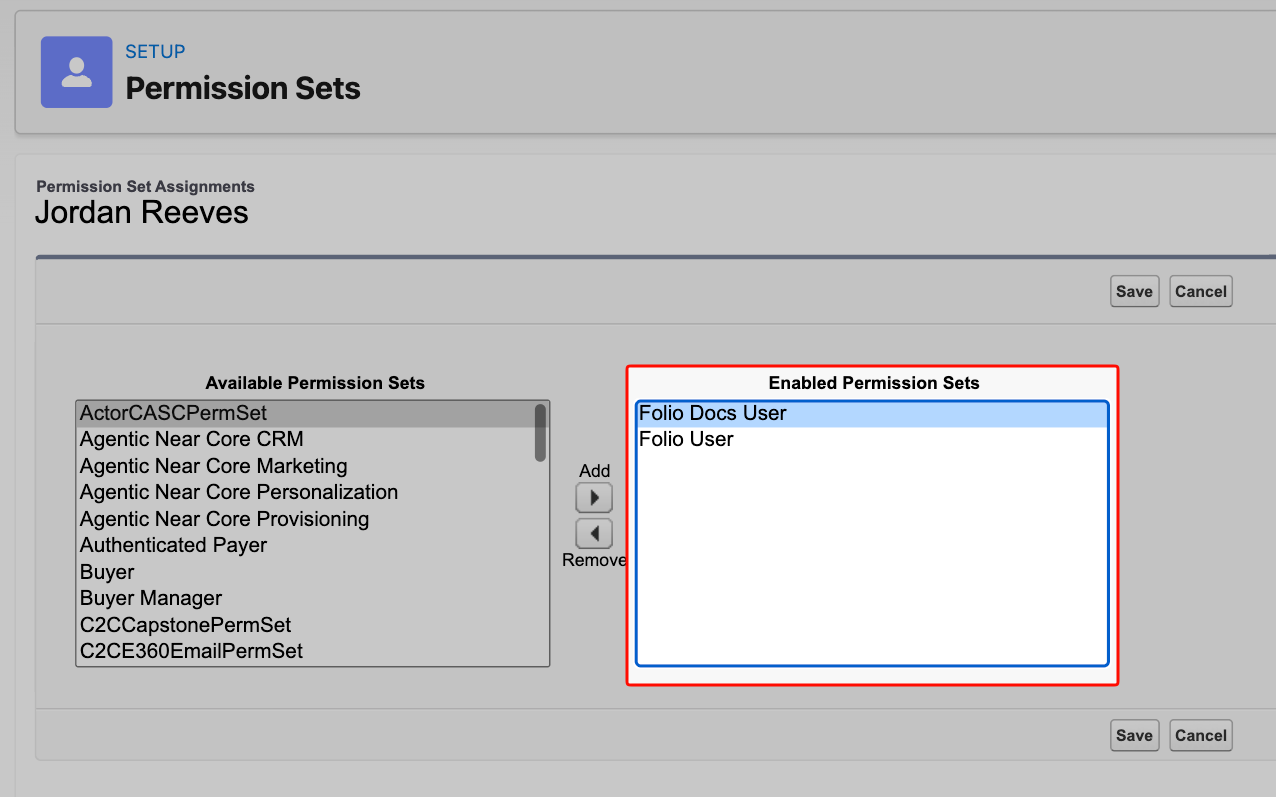
- Back on the user record, open Permission Set Assignments → Edit Assignments.
- Add Folio Docs User for an end user, or Folio Docs Administrator for an administrator.
- Save.
Assign the Folio permission sets directly — Permission Set Groups and clones don’t work. Due to Salesforce platform limitations, bundling a Folio permission set inside a Permission Set Group does not grant Folio Docs access. Cloning a Folio package permission set doesn’t work either: Salesforce’s 2GP licensing controls tie access to the packaged permission sets themselves, so a clone can be created and assigned but won’t grant access. Only Folio Docs User and Folio Docs Administrator, assigned directly to the user as permission set assignments, grant Folio Docs access.
Related: Install the Package · Use the Admin Panel
View this page as Markdown — for LLMs and plain-text tools.