
Update Data in Bulk
For the most part, bulk data work isn’t needed in Folio Docs. But if you ever do need to run bulk updates — on Document sharing, on Document links to related records or Tags, or on Tags themselves — the information below is what you need for a successful data load.
Prefer the Admin Panel and invocable actions for everything they cover. The Tags tab handles merges and deletes safely, and the invocable actions enforce Folio’s validation rules. Bulk data operations bypass both. Reach for a data loader when the volume genuinely warrants it, and test in a sandbox first.
Before you start, read Understand the Folio Data Model so the relationships below are familiar, and check Object Manager for the complete, current schema of each object — the fields called out here are the ones that matter for bulk work, not an exhaustive list.
Document Share object
folio__Document__Share
The standard Salesforce share object for folio__Document__c. Standard *__Share semantics apply — there is nothing Folio-specific about how it behaves, so if you’ve bulk-managed sharing on any object before, this works the same way.
Use it to grant or revoke Document access at volume. Note that the platform manages the owner’s own share row automatically; those rows are not yours to set.
For related automation, see Folio: Get Document Shares and Folio: Share Document.
Junction object
folio__Junction__c
The Junction object carries both kinds of Document link, and this is one place a bulk data job could go wrong.
A single Junction is either a Document→record link or a Document→Tag link — never both.
Record link:
folio__Document__c— a lookup to the Folio Document’s IDfolio__Parent_Record__c— a text field holding the 18-character ID of the Salesforce record
Tag link:
folio__Document__c— a lookup to the Folio Document’s IDfolio__Tag__c— a lookup to the Tag record
Populating both
folio__Parent_Record__candfolio__Tag__con the same Junction may cause system errors. Every row in your load file should set exactly one of the two. This is the single most common bulk-load mistake with Folio — it’s easy to make when you build one spreadsheet for a mixed set of links.
Note that folio__Parent_Record__c is a text field, not a polymorphic lookup. That’s what lets a Junction point at any Linkable Object, but it also means Salesforce will not validate the ID for you: a malformed or non-existent ID loads cleanly and simply fails to resolve later. Confirm your IDs are the full 18-character form before loading.
For related automation, see Folio: Link Documents to Records, Folio: Apply Tag to Document, and Folio: Get Document Junctions.
Tag object
folio__Tag__c
The Tag records themselves.
-
folio__Tag_Name__c— the Tag’s name -
folio__Color__c— optional. The complete set of valid values is exactly six, all lowercase:blue·yellow·green·red·orange·pinkLeave it blank (or
null) for no color.
Colors must be all lowercase and exactly one of the six values above. The field is plain text with no picklist behind it, so Salesforce accepts anything you load — but a value that isn’t an exact match simply won’t render as a color.
Setting a color here is the same as setting an admin default color on the Tags tab: when an admin sets a color, every pill of that Tag renders in it org-wide and per-document color choices are disabled for that Tag. With no color set, the Tag defaults to white and users may pick their own color on their own instance of it.
Refer to the Tags tab for Tag management. It handles merges and replacement-on-delete correctly, repointing every affected link for you.
A note on deleting
Never bulk-delete folio__Document__c records directly. Deleting a Document with a data loader orphans its Junctions and ignores the archive policy entirely, regardless of your Delete Permissions setting.
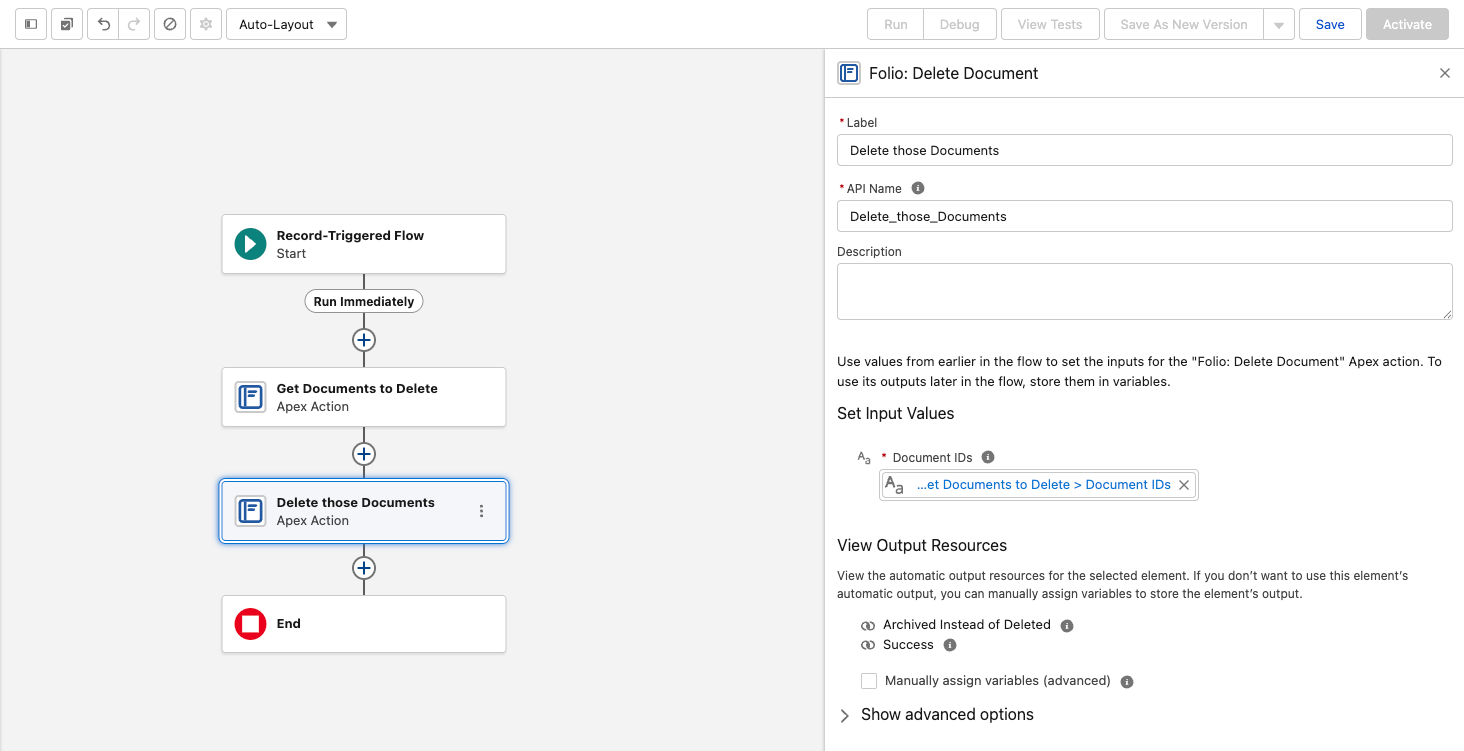
Use the Folio: Delete Document invocable action instead — it removes the linked related records and honors the hard-delete setting, archiving instead of deleting where that’s configured.
Deleting Junction records in bulk is fine and is the correct way to unlink Tags or records from Documents at volume.
Related: Understand the Folio Data Model · Tags · Settings · Automate with Invocable Apex
View this page as Markdown — for LLMs and plain-text tools.